Wardley Maps and Livebook

I am planning on improving the Wardley Map Livebook component. If this becomes fully featured I would like to see if the Wardley Mapping community would be interested in using livebook as a storage and sharing format. This could allow the formation of a catalog of Wardley Maps.

Livebook is great for this in being highly suitable to version control and the files can easily be shared. You can put multiple wardley maps in one file with commentry.

José Valim has suggested that I split the smartcell from the component. This is going to happen soon.

Yesterday I started refactoring the oversized javascript function. It may be possible to extract them into a distinct file to aid testing and future development.

Other future items to work on include:

– fixing the evolve syntax to match onlinewardleymaps.com

– allowing alternative x-axis labels

– handle the offsets for labels

– handle annotations.

Wardley Map Smart Cell (Early Doors)

As promised here is the first cut of the Wardley Map Liveview component: https://github.com/chriseyre2000/kino_wardley

Its not quite ready for publication as I want to tidy up the input format and closer align to the contract defined by https://onlinewardleymaps.com/

The following is the current install block

Mix.install([{:kino_wardley, git: "https://github.com/chriseyre2000/kino_wardley"}])

You can then add a Kino Wardley component (I am going to change that to Wardley Map).

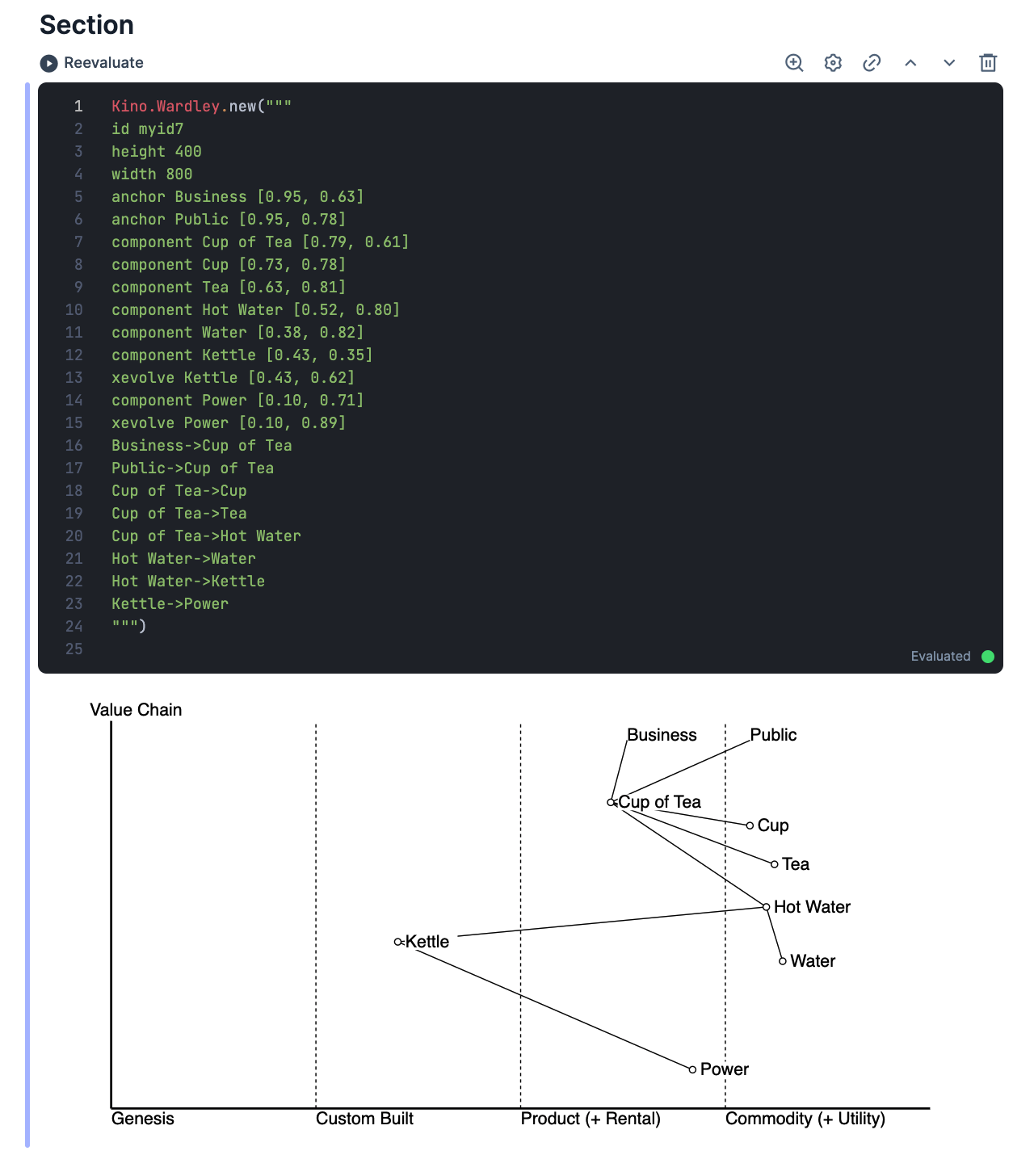
Wardley Map Rendered in Livebook

The following is the code block that I would like to render:
Kino.Wardley.new("""
{
  "id": "myid7",
  "height": "400",
  "width": "800",
  "map" : [
    "anchor Business [0.95, 0.63]",
    "anchor Public [0.95, 0.78]",
    "component Cup of Tea [0.79, 0.61]",    
    "component Cup [0.73, 0.78]",
    "component Tea [0.63, 0.81]",
    "component Hot Water [0.52, 0.80]",
    "component Water [0.38, 0.82]",
    "component Kettle [0.43, 0.35]",
    "evolve Kettle [0.43, 0.62]",
    "component Power [0.10, 0.71]",
    "evolve Power [0.10, 0.89]",
    "Business->Cup of Tea",
    "Public->Cup of Tea",
    "Cup of Tea->Cup",
    "Cup of Tea->Tea",
    "Cup of Tea->Hot Water",
    "Hot Water->Water",
    "Hot Water->Kettle", 
    "Kettle->Power"
  ]
}
""") 

Here is a livebook that uses the component: https://github.com/chriseyre2000/livebooks/blob/main/wardley-map.livemd

Towards a Wardley Map Smart Cell

Here are the notes on how to write a smart cell:

https://www.strangeleaflet.com/lets-write-an-elixir-livebook-smart-cell

Before I build the smart cell I need to change the input format from a list of strings in javascript to a text block that uses the current syntax of onlinewardleymaps.

The current major deviation is the implementation of the evolve type which I am using two coordinates rather than one. Also there is no explicit offset mechanism, instead labels have a white underlay.

It is also missing title, alternative x-axis titles and annotations.

I had initially tried to implement this with VegaLite, but found that was more suitable for traditional charts. D3.js is a lower level library. You have to do slightly more work yourself, but gain complete control: everything in software development is a compromise.

Wardley Map Inside a LiveBook

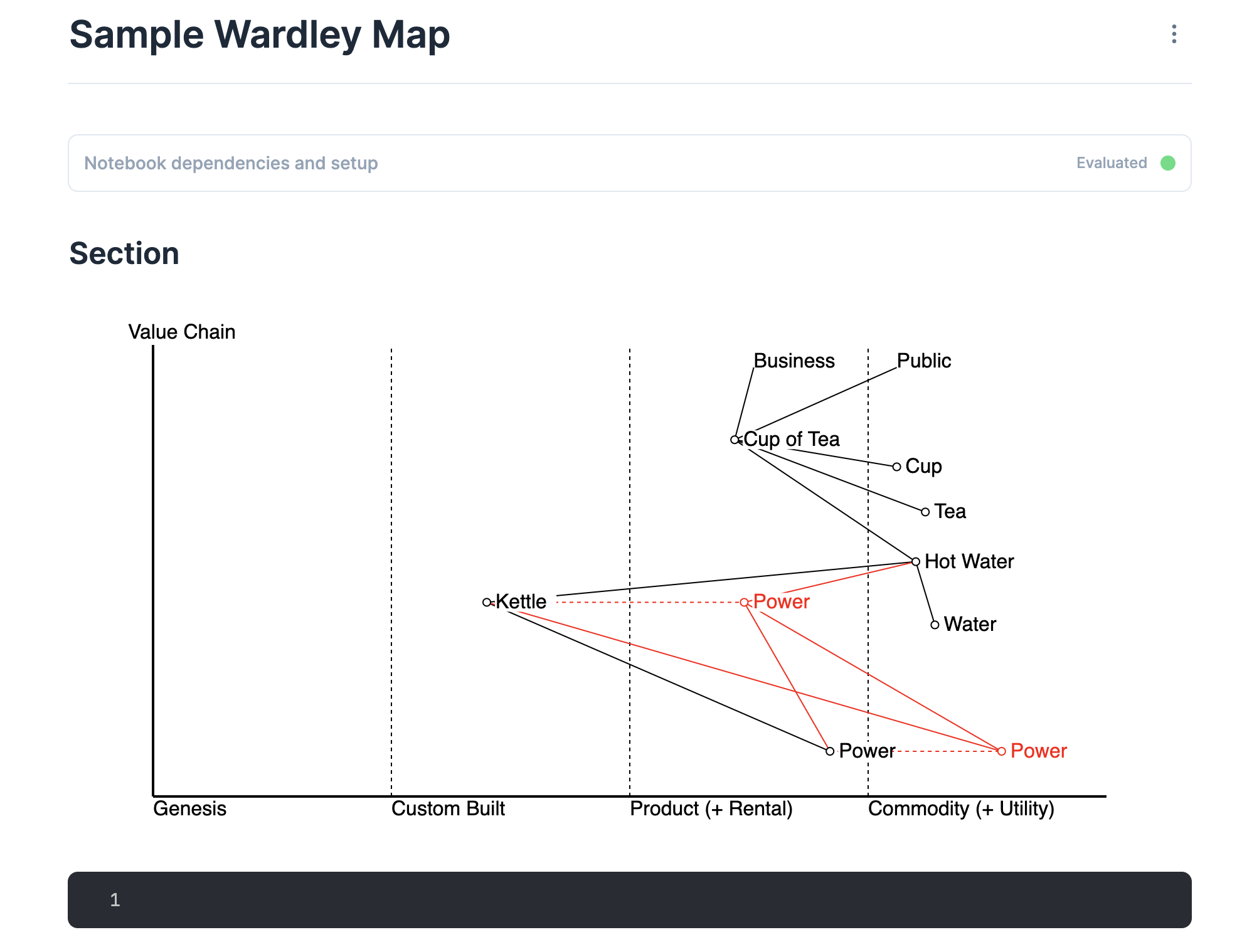
This is a functional Livebook containing a Wardley Map

https://github.com/chriseyre2000/livebooks/blob/main/d3wardleymap.livemd

Livebooks are easy to share and version control.

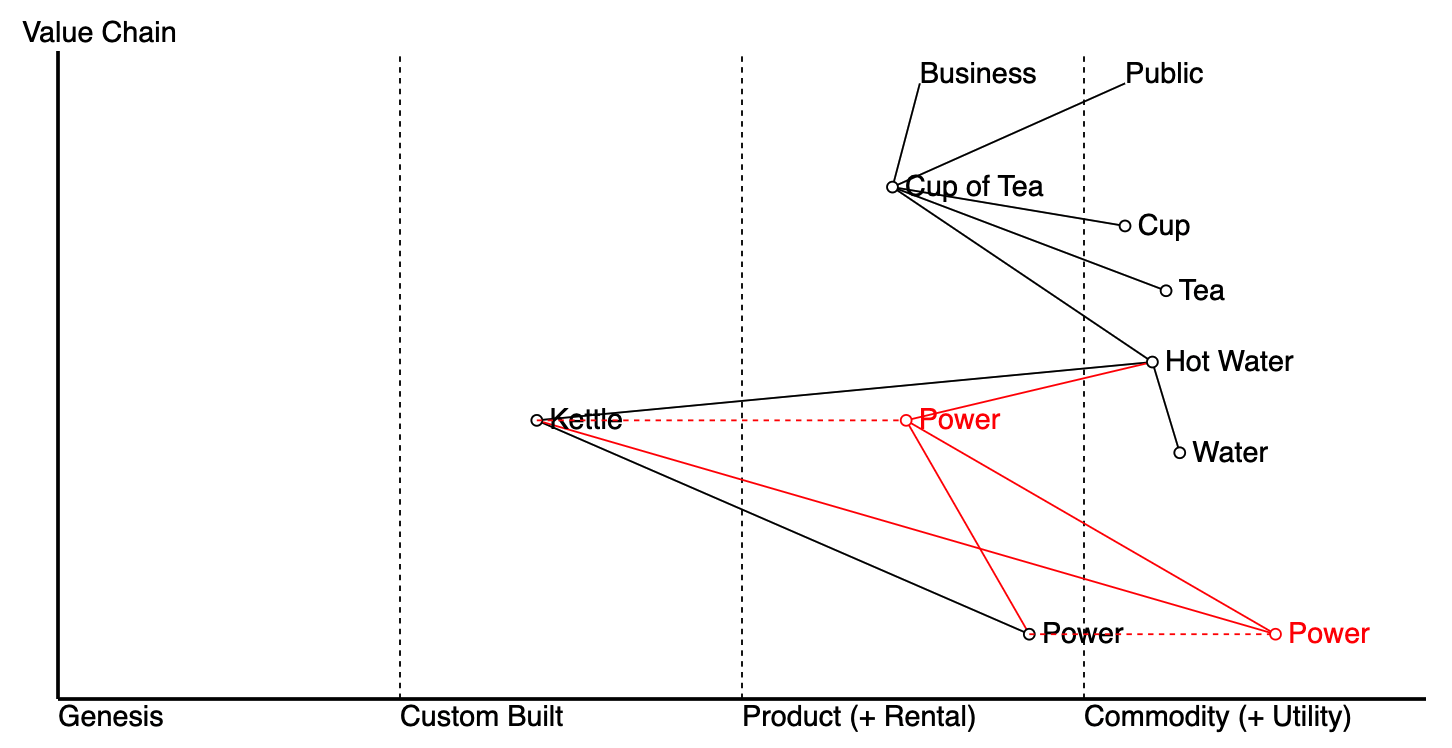
This is the basic example Wardley Map.
It is a tea shop that had decided to build their own kettle with a specialist power supply.

The following is the evolved version purchasing a standard kettle and using the mains supply:

I am planning to create a Kino Library in hex to wrap this up.
It would also be useful to port this to Mermaid.

The input syntax is close to that used by https://onlinewardleymaps.com/

Adding d3 to Livebook

This is a livebook file that adds d3.js to livebook: https://github.com/chriseyre2000/livebooks/blob/main/d3js.livemd

This opens up livebook to be able to use visualisations that go beyond what can be achieved with VegaLite.

VegaLite is a great charting library. d3.js is a lower level visualisation library. There are a whole host of visualisations that go beyond the standard xy plots.

I am planning to write a Kino.D3 library with livecells included.

Formal Schemas and Property Tests

These two concepts work together really well.

Recently I have been experimenting with Json Schema as a way to formally describe an API. It lists all possible inputs that are accepted in a single document. Equivalent schema documents exist for other contracts.

A property test is a way of stating invariants about a system. You write tests that make assertions about the system that are always true for a range of inputs. The testing tool generates an increasingly complex input an runs a series of assertions reporting the simplest case that fails.

If you have a formal input specification the simplest property test you have is I can accept this input without rejecting the message. The contract document gives you a source for the generators.

By creating a generator based upon a specification document allows the tests to keep up with all possible inputs. This is the closest that you can get to a formal proof for system correctness without requiring a single typesystem (which in a distributed system may be impossible).